CRA Account - Registration
You can only register for a CRA online account after you’ve filed a Canadian tax return, and it has been processed or you’ve received your “Notice of Assessment.” Until then, the system won’t recognize you.
New: If you live in British Columbia or Alberta, you can register for a CRA account using a provincial partner even if you have not filed your taxes in the last 2 years. For this you need to be registered for the BC Services Card or an Alberta.ca account.
If you sent in a paper tax return by mail, it can take up to 4 months to be processed. The reason it takes so long is that non-resident returns are handled by a special CRA tax office that deals only with non-residents, so the processing times are longer than for regular returns.
If you haven’t received any mail from the CRA after 4 months, it’s a good idea to follow up.
Sometimes the mail just doesn’t arrive, or they might have sent it to an old address that was still in your CRA account.
To check what’s happening, you can try registering for a CRA online account. The CRA now has a tax return processing tracker on their website. This tracker becomes available once your documents have been officially received and entered into their system.
If registration works: If you can complete the first step of registration, the tax return was received/processed. You’ll be able to register and then see the status of your tax assessment right on your account homepage.
If registration fails: If you get an error message during the first step, it means that your tax return has not yet been processed or entered into the CRA system. In that case, you may still need to wait a little longer. Especially if you filed the tax return after the April 30th deadline, since late returns normally take more time to get processed.
Another option is to just give the CRA a call.
Keep in mind though, their phone lines are very busy, so it’s best to call when you’ve got a bit of time to wait on hold. If you’re outside of Canada, you might also want to use a Wi-Fi calling app to save money. One example is mytello.com.
CRA phone numbers:
Inside Canada: 1-800-959-8281
Outside Canada: 001-613-940-8495
When you call, make sure you’ve got your latest tax return or Notice of Assessment in front of you. The CRA will ask a few security questions based on those documents to confirm your identity before they’ll give you any information.
CRA-Registration
You can find the official CRA registration information >> here
Registration for the CRA account is > here under this link <
From outside Canada, I recommend:
CRA user ID and password: Here you can set your own login data.
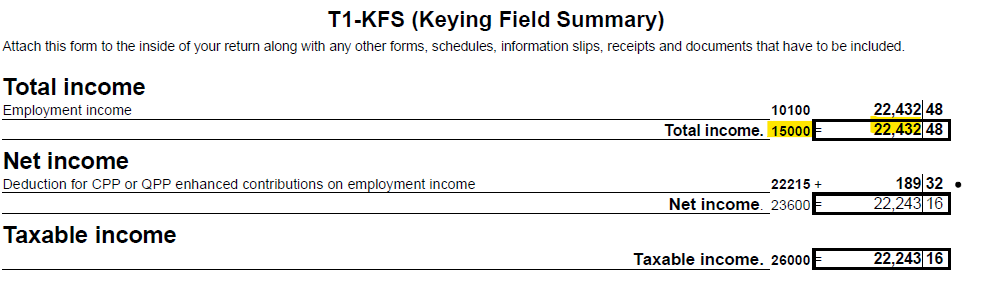
To register, you need the PDF file of the tax return. In the PDF on the page "T1-KFS" you will find line 15000 and 10100 that you need for the first steps.
You enter the number in the "Tax information" field in the CRA registration. Only the full amount, without the decimals. In this example, you can see the 22432
In the next step, the full amount from line 10100 from the same PDF, without the decimals. In this example, you can see the 22432
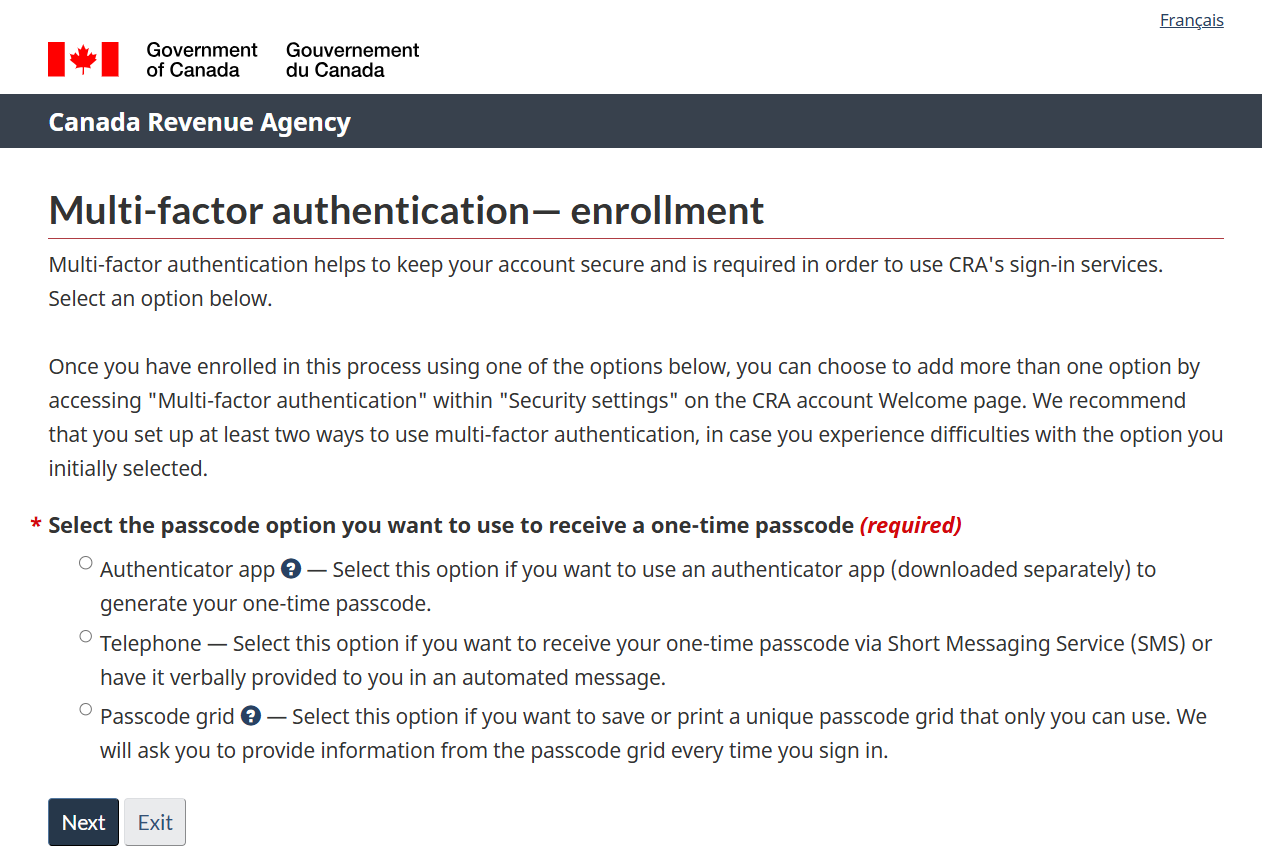
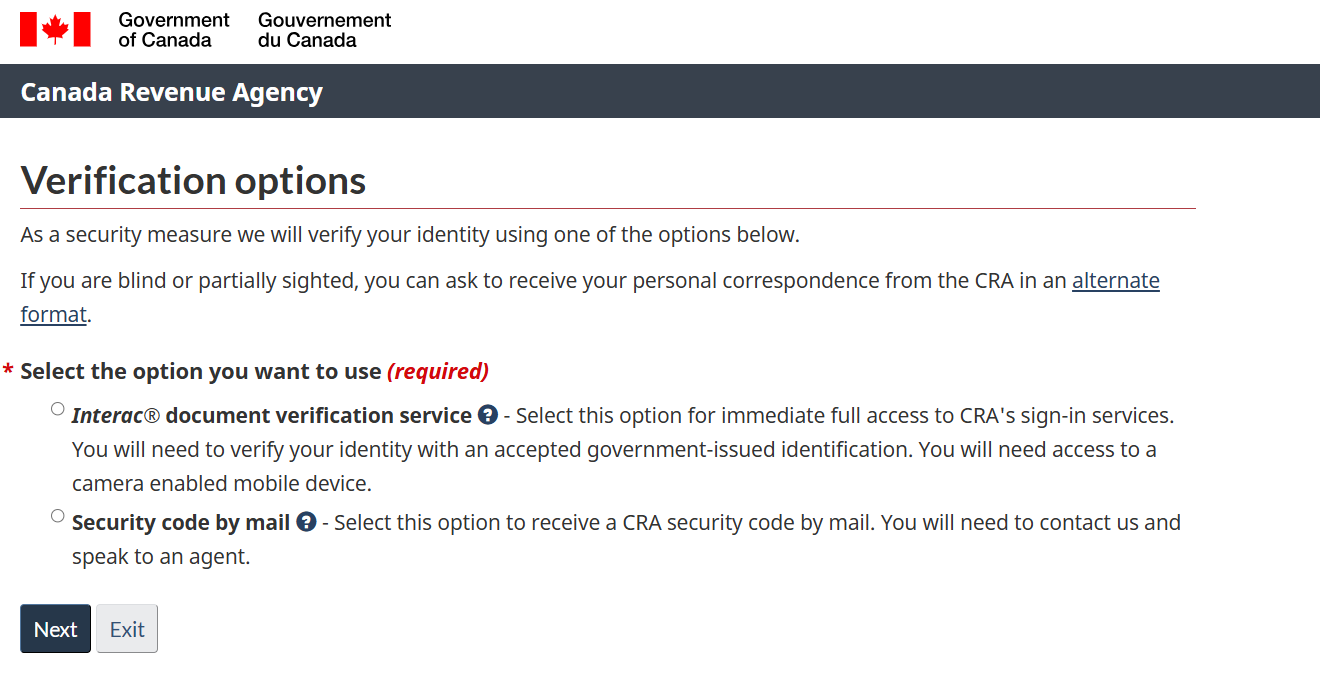
In the next step, select your option you want to use.
New: You can now verify your identity using the Document Verification Service, allowing you to access your CRA account immediately without waiting for a security code.
To use the Document Verification Service, you’ll need one of the following valid Canadian identification documents:
- Canadian passport
- Canadian driver’s licence
- Provincial or territorial photo ID card
Note: Foreign identification or other types of documents are not accepted.
During the verification process, you will use a mobile device to take a real-time photo of yourself and your government-issued ID.
Because many IEC participants do not have those types of identification, this guide will use the Security Code by mail option.
In the next steps create the CRA user ID and password and security questions. (no screenshots needed)
After you’ve created and reviewed the security questions, you need to set up multi-factor authentication.
From outside Canada, you only have 2 options (because you don't have a Canadian cell phone anymore)
1. Passcode grid
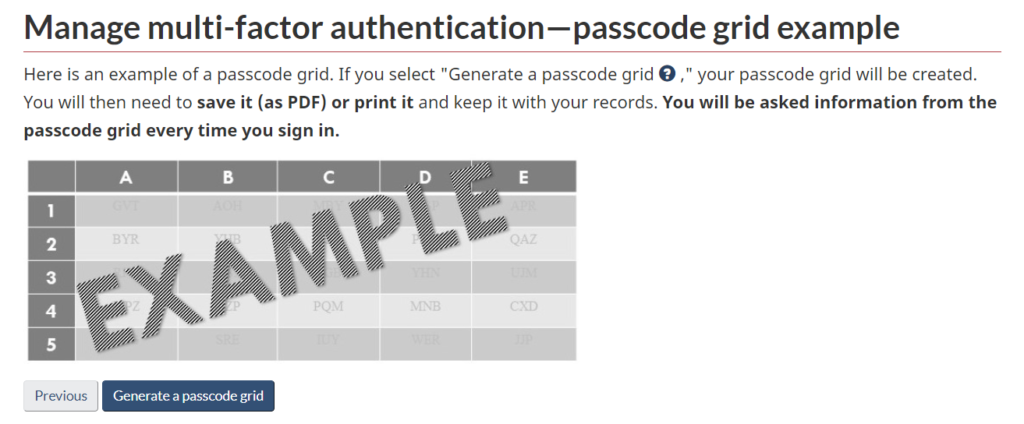
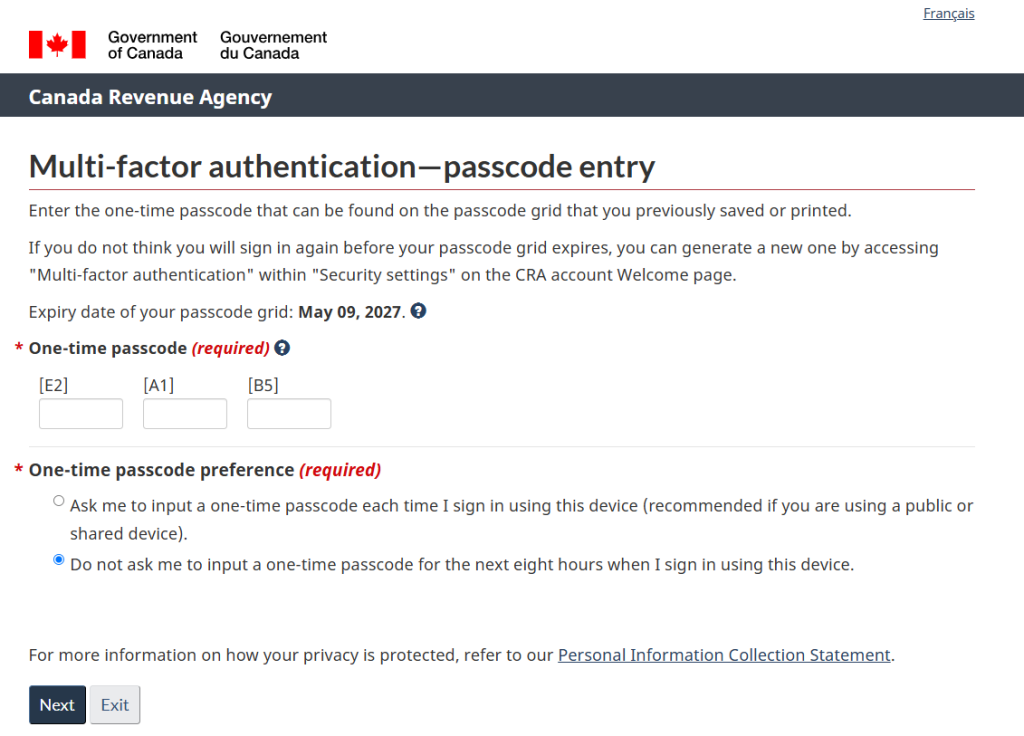
The passcode grid is a table made up of numbered rows and labeled columns, similar to a bingo card. The CRA asks for combinations (e.g. B1; A3) and users must specify the 3 letters that will be displayed in the grid.
When the passcode grid is created, a PDF file is generated that you can print or save to your computer.
You will use this grid every time you log in to your CRA account.
This means it’s an easy way to log in to the CRA account from anywhere in the world, without a Canadian phone. Your passcode grid will expire after 18 months. Make sure you sign in and generate a new one before the expiry date.
2. Authenticator app
You can now use an authenticator app for extra security. There are lots of these apps out there, so you’ll want to pick one that you like and trust. I personally use Google Authenticator, but there are other options as well. Just make sure to read the setup instructions for whichever one you choose.
Here’s how it works every time you log in to the CRA account:
- Open your authenticator app on your phone.
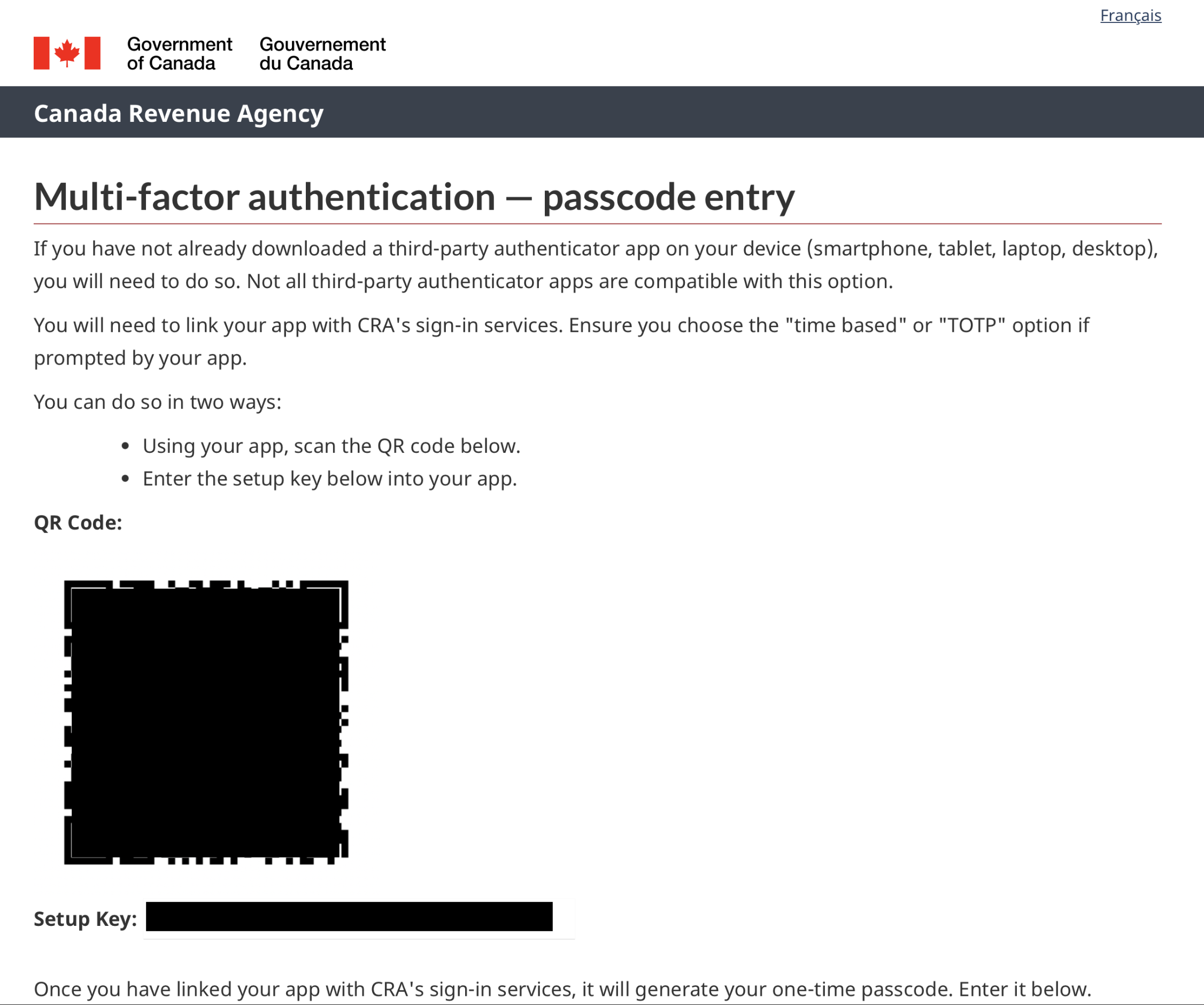
- Scan the QR code that shows up on the CRA login page.
- The app will instantly generate a 6-digit passcode (called a TOTP).
- Enter this code on the CRA website to finish logging in.
Here is an example of registering with the Authenticator app. You scan the QR code to add the CRA to the app.
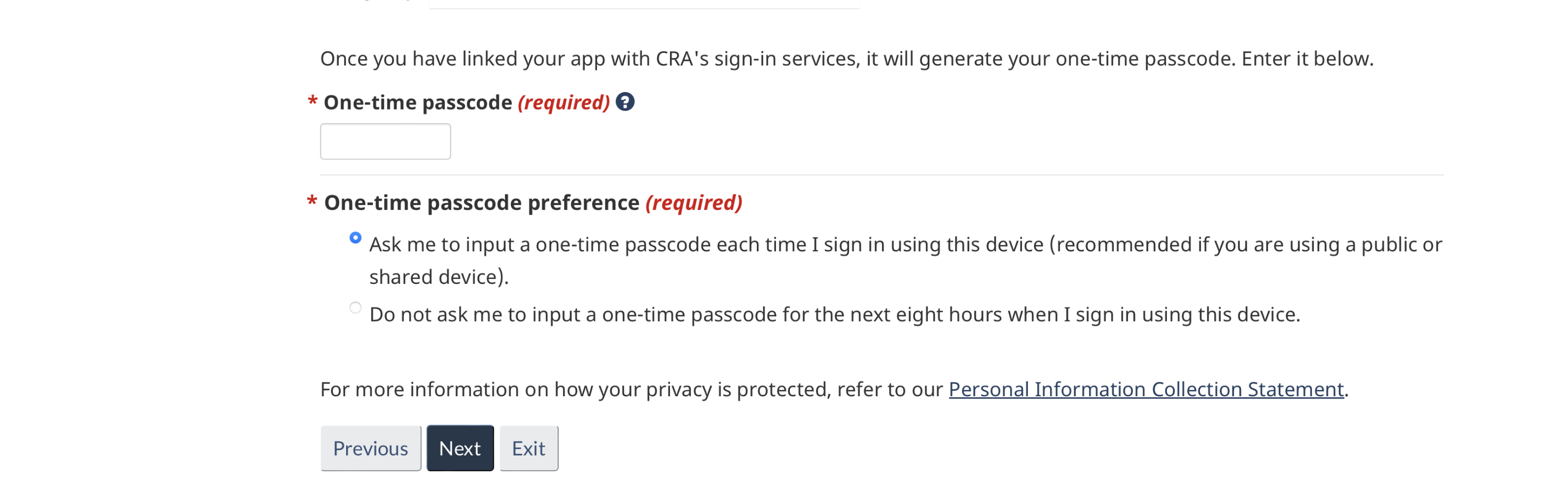
The generated one-time passcode from the app must be entered here.
If you selected the security code option above:
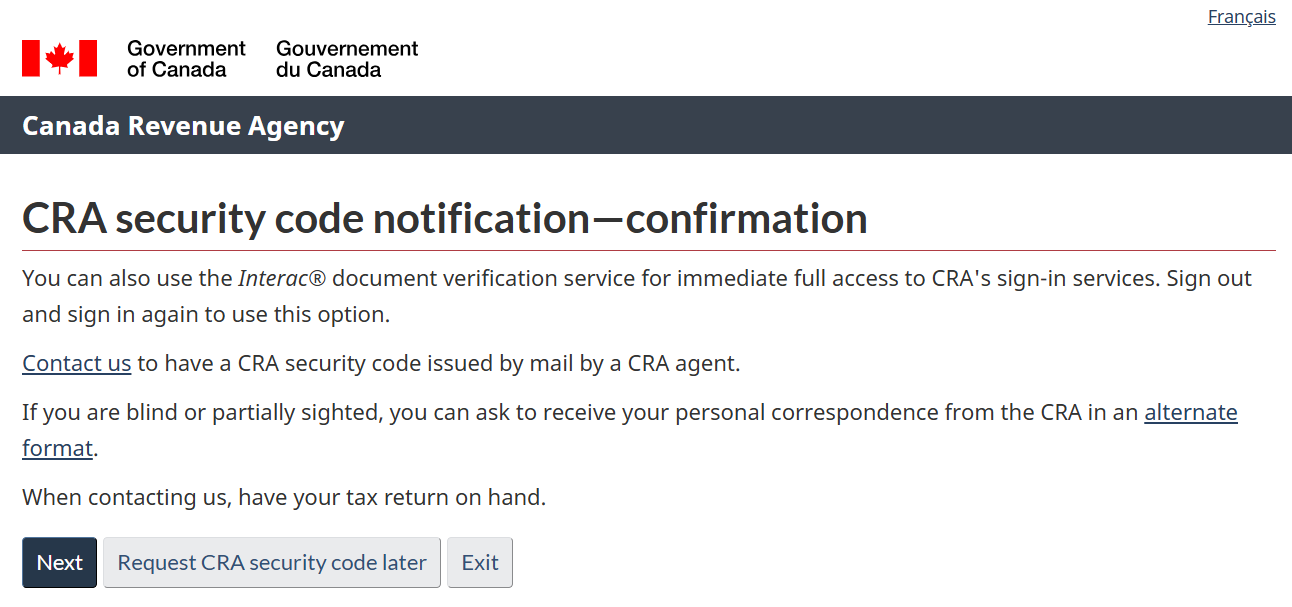
To gain full access to your CRA account later, the CRA will send you a letter containing a code.
To receive the security code, you must contact the CRA by phone. You can do this later after the registration is completed.
- From inside Canada: 1-800-959-8281
- From outside Canada: 1-613-940-8495
The code will be sent within 10 business days to the address you provided on your tax return. This address is on file with the CRA. For now, you can click “Next” to proceed to the following step.
What if my old address is still in the CRA system, but I can't access mail at that address?
In this case, you’ll need to contact the CRA directly to update your address before requesting the Security Code. See phone numbers above.
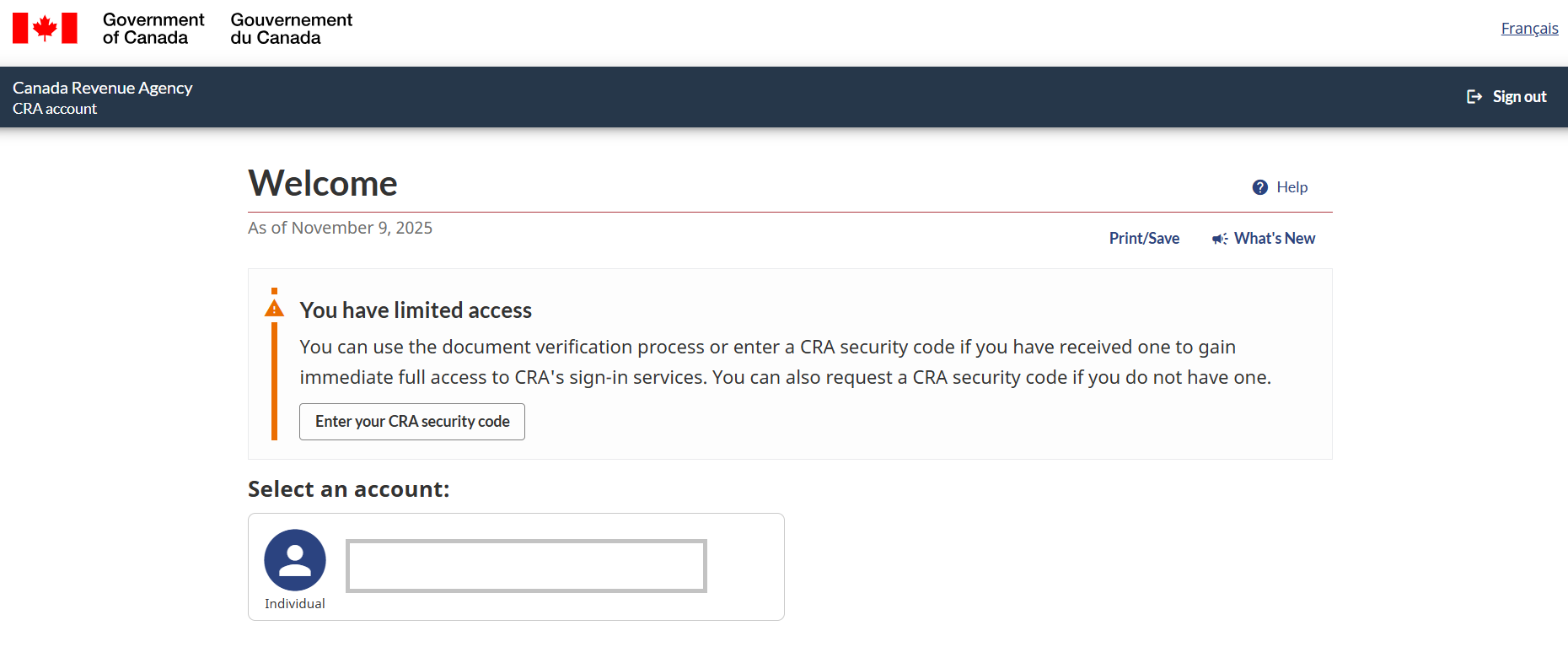
You did it — you’re now in your CRA account. Click on your name under “Select an account.”
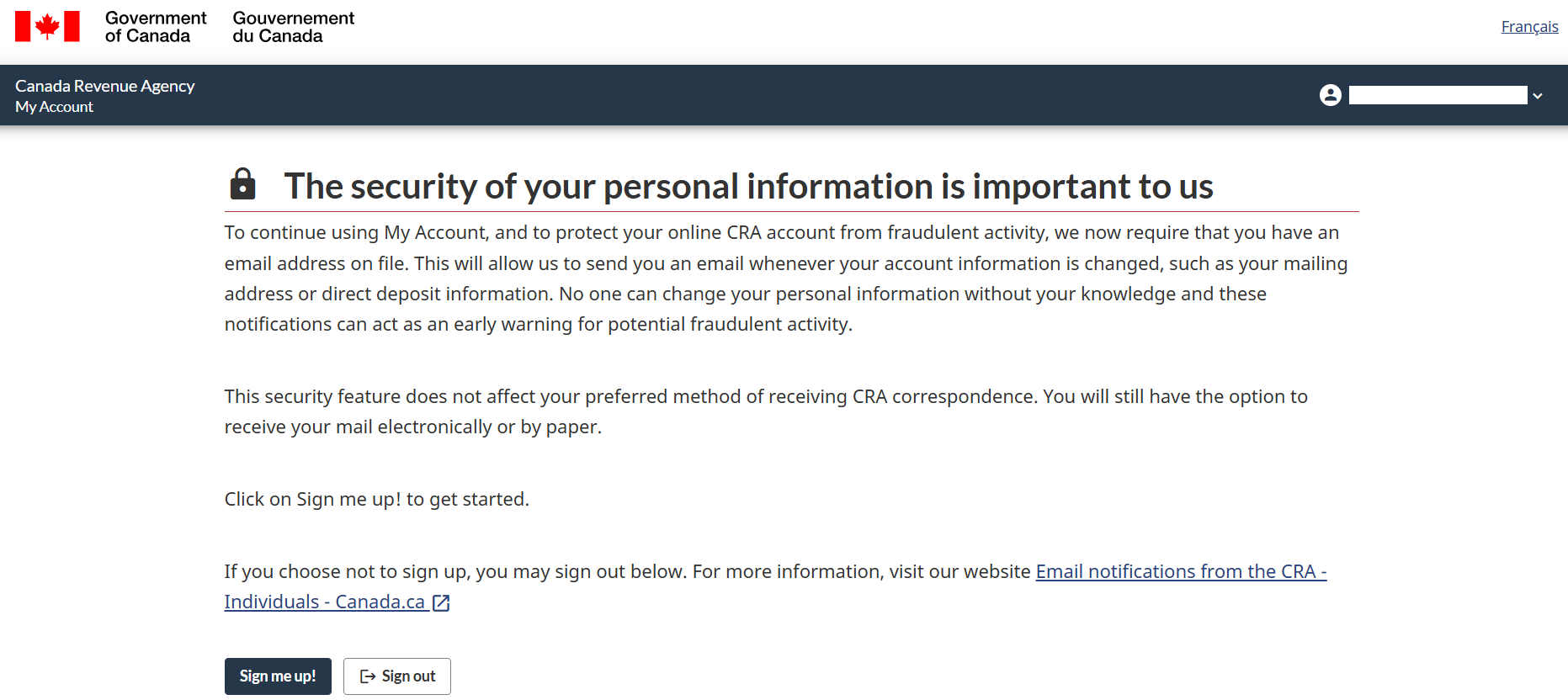
As an additional security measure, the CRA now requires an email address for registration. Sign up.
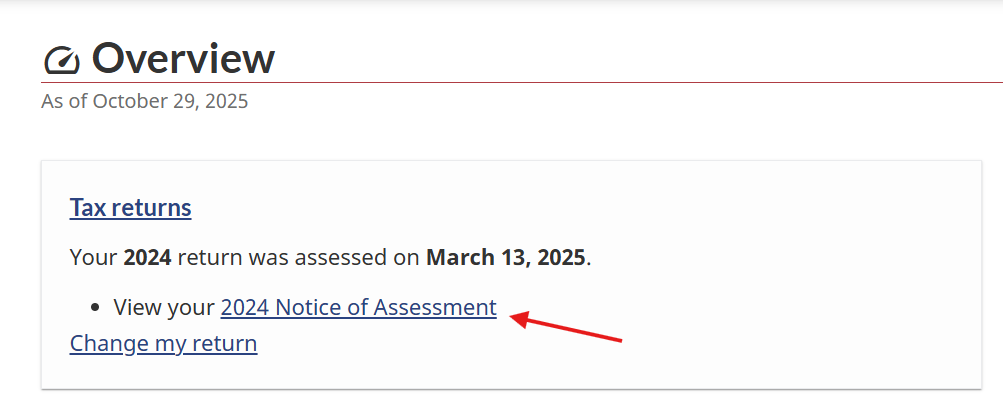
After your tax return has been fully processed, you will see a blue link in the same “Tax Returns” section that you can click. There, you can view the electronic version of the “Notice of Assessment.”
If you are entitled to a refund, the amount will either
- be deposited directly into the Canadian bank account that was set up in your CRA account, or
- sent to you separately by mail as a cheque.
If you owe taxes, the notice will also state the amount you are required to pay.
After you receive the CRA Security Code by mail, log in to your CRA account and enter the code. This will unlock full access to your account, allowing you to view and download the PDF of your tax assessment (Notice of Assessment) under the “Mail” section.
Once you’ve unlocked full access to your CRA online account, you can also add your Canadian bank account details so that any future tax refunds will be deposited directly into that account. Just keep in mind: the CRA only deposits into Canadian bank accounts, not foreign ones.
If you don’t have a Canadian account anymore—or you closed it when you left Canada—you can use Wise as an excellent alternative for receiving your future refunds.
Wise - A great option to receive money
Here you can open a free Wise account.
Once your account is set up, you can create Canadian bank details within Wise.
Next, update your direct deposit information in your CRA online account to your new Wise account details. This ensures you’ll continue receiving payments even after leaving Canada.
You can close your Canadian bank account and use only your Wise account until you’ve filed your tax return and received your payment. Once the funds are in your Wise account, you can transfer them to your bank account in your home country.
As a bonus, if you click the button below, Wise will waive the fee for your first transfer of up to $800 CAD. How great is that?
Make sure to check if Wise is available in your country before proceeding.